


Third Eye Hidden Camera Record
4.61.41K Reviews
App Specs
- Version
- 3.0.3
- Updated On
- License
- Free
- Downloads
- 5,000,000+
- Developer
- DOSA Apps
- Categories
- Tools
- Platform
- Android
Screenshots
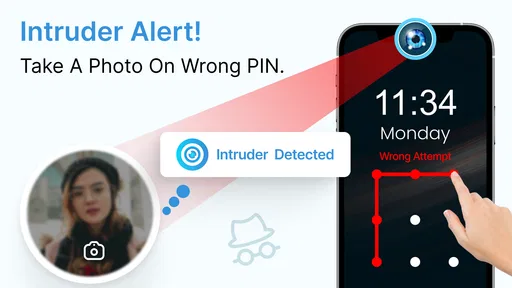
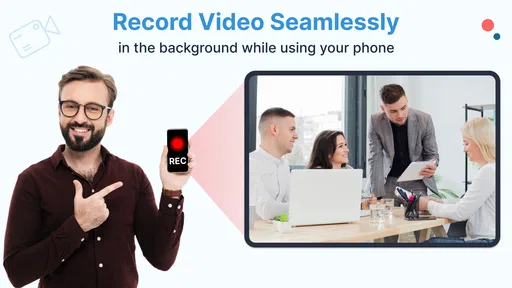
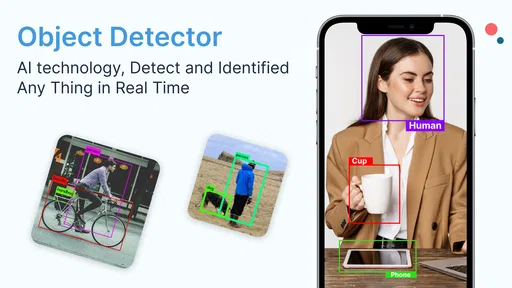
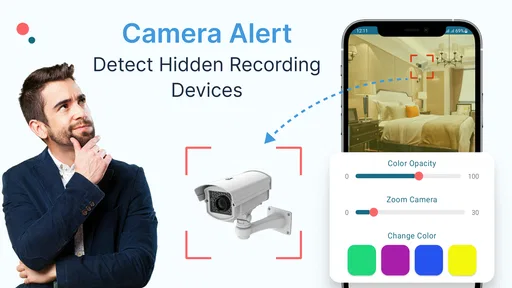
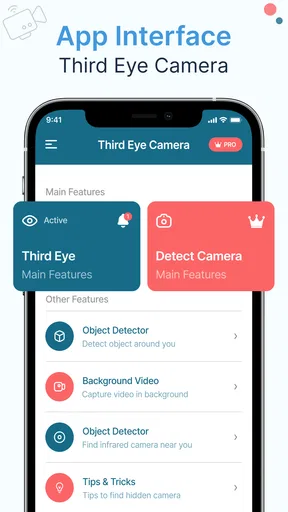
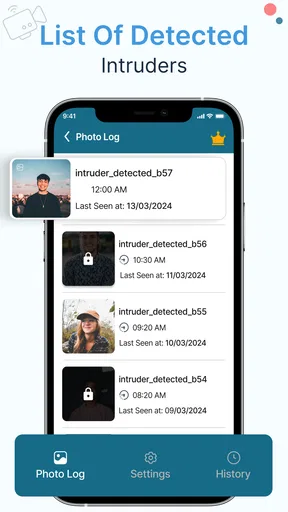
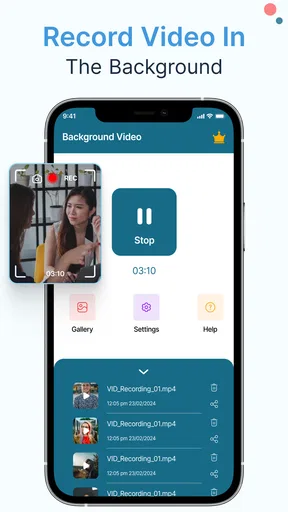
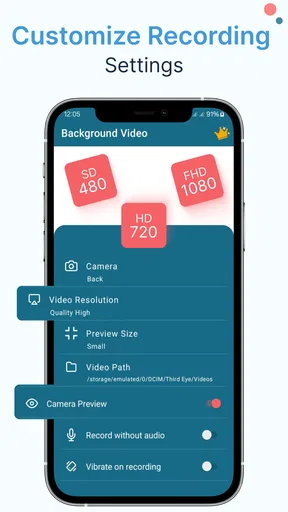
 Analysis by AppCompare
I see Third Eye Hidden Camera Record as a narrowly focused tool rather than an everyday camera replacement. Its appeal is straightforward: it can record in the background, including with the display off, so you do not have to keep a bright screen open while capturing something. That can be useful when an ordinary camera interface would interrupt a task or draw attention. But discreet recording is also a sensitive use case, so I would treat privacy, consent, and the app’s actual behavior on my own phone as part of the decision—not as afterthoughts.
What the background approach is good for
A background recording workflow is most convincing when you need your hands and attention for something else. For example, I can imagine documenting a repair demonstration while following the steps, or recording a presentation from a permitted position without holding the camera view open the whole time. In those cases, the screen-off option reduces distraction. It does not, by itself, make the footage more useful: framing, sound, lighting, and permission still matter.
A practical tip is to do a short, ordinary test before relying on a longer recording. Check that the camera is pointed where you expect, that the scene is bright enough, and that the saved clip is usable. Background behavior can be affected by phone settings and device-specific camera handling, so a quick test is a sensible way to avoid discovering a problem after an important moment has passed.
I would also decide in advance where the recording should end up and how soon I will review it. Discreet capture can make it easy to forget that a recording is still running. A clear start-and-stop routine helps prevent accidental, overly long clips and makes it easier to find the part I actually need later.
How it differs from the camera already on your phone
The built-in camera is usually the better choice when I want to compose a shot, check exposure, switch lenses, or take photos as well as video. Its viewfinder makes it easier to see what will be included, and it is the natural option for a planned family video or a scenic clip. Third Eye’s point is different: it is aimed at recording while the screen is off or while I am using the phone for something else.
That distinction matters because discreet operation is a trade-off, not a universal improvement. With less attention on the screen, it is harder to monitor framing or notice a problem as it happens. If the clip must be polished, carefully composed, or immediately shareable, I would choose a conventional camera workflow and stay in control of the shot. If avoiding an active camera display is the main need—and recording is lawful and welcome—this app’s background approach is the more relevant one.
Good habits for a more dependable recording
Before an important use, I would check available storage, charge the phone, and make sure the lens is unobstructed. Those small checks matter more for a background recorder than they might seem: when the display is off, it is easier to miss a low-storage warning, a covered lens, or a recording that ended sooner than expected. A brief test clip also lets me judge the room’s lighting and sound without assuming the app will compensate for a difficult setting.
Worth Reading Before You Choose

EA SPORTS FC Mobile 26 Is a Bigger Football Game, but It Takes Time

Flipboard Shows What News Apps Must Do Beyond the Feed

Switching to Android Auto Means Rethinking Your Driving Routine

Google Calendar Makes a Crowded Week Easier to Manage

Ludo King Makes the Most of the Minutes Between Plans

Baby Panda World Brings Quick Play to Modern Phones, but Its Game Library Feels Busy
For an everyday example, imagine recording a permitted how-to demonstration at a community workshop. I would place the phone securely with a clear view, tell the people involved that recording is taking place, start with a test, and then turn the display off so it is less distracting. Afterward, I would stop the recording, review the clip, and delete anything that is unnecessary. That is a more thoughtful workflow than starting a recording casually and leaving it running without a clear purpose.
Who should choose it—and who should not
This is most appealing to someone who specifically needs screen-off or background video capture and is comfortable checking how it works on their own device. It may suit personal documentation, a permitted demonstration, or situations where interacting with a bright camera screen would get in the way. The simple controls described in the app’s experience are a plus for people who want a direct start rather than a complicated production setup.
I would skip it if the goal is secret recording of people who have not agreed, if you need a dependable security system, or if you require professional camera controls and consistent results. A dedicated security camera is a better fit for monitoring a space with clear notice and appropriate safeguards; a standard camera app is better for deliberate filming. No phone app can remove the responsibility to follow local rules or respect the people being recorded.
Practical questions before installing
One question I would ask is whether it can record with the screen locked or off; that is central to its purpose. Another is whether I can keep using the phone during capture, since background recording is intended to allow activity such as texting or browsing. Even so, I would not assume every combination of phone, operating-system settings, and camera use behaves identically. Testing the exact workflow on the device I plan to use is more reliable than trusting a general expectation.
Storage and battery are also worth thinking through. Video files can take up space, and recording uses the camera for an extended period, so I would not start a long session without checking both. The app is free to install, but it includes in-app purchases ranging from $0.99 to $99.99 per item; I would check the purchase details in the app before paying for anything and decide whether the free experience meets my needs first.
Getting to Know Third Eye Hidden Camera Record
So, I decided to give Third Eye Hidden Camera Record a spin. At first glance, it appears to be your typical camera app, but a closer look reveals its unique capabilities. The app is designed to function as a hidden camera, allowing you to record videos without drawing any attention to yourself. It’s like having a secret agent tool right in your pocket!
User Interface and Experience
The interface is super straightforward, which is a massive win in my book. No one wants to fiddle around with complex settings when trying to capture a moment discreetly. The app opens up to a simple screen with a few buttons that let you start recording immediately. What I loved is that the recording can happen while your phone screen is off, so it really does live up to its "hidden" name.
One of the standout features is its ability to record in the background. You can be scrolling through your phone, texting, or even playing a game while it continues to capture footage. Talk about multitasking!
Performance and Functionality
When it comes to performance, Third Eye Hidden Camera Record doesn’t disappoint. The video quality is surprisingly good for an app of this nature. It records in HD, providing clear and detailed footage. I tested it in various lighting conditions, and while it excels in well-lit environments, it does a decent job even in dimmer settings.
The app offers a variety of customizable settings, too. You can tweak the video resolution, set time limits for your recordings, and even choose different storage options. It’s these little things that make the app versatile and adaptable to different situations.
Privacy and Security
Now, I know what you’re thinking—what about privacy? Well, the developers have thought of that as well. The app doesn’t store any data on external servers, and everything is kept on your device. You also have the option to lock the app with a password, ensuring that your recordings are kept safe from prying eyes.
Because recordings remain on the device, I would think about access and cleanup as part of using the app. A password lock can help keep casual visitors from opening the app, but it is not a substitute for careful handling of sensitive videos. I would review what I have captured, keep only what I genuinely need, and avoid leaving private footage where someone else might stumble across it.
Battery and Resource Management
A concern with apps that run in the background is battery drain. Fortunately, Third Eye Hidden Camera Record is optimized to consume minimal battery power. I used it extensively over a few days, and I didn’t notice any significant impact on my phone’s battery life, which is a huge relief.
For longer sessions, I would still plan around battery and heat rather than treating the app as a set-and-forget recorder. Camera use can be demanding, and other running tasks may affect how long a phone remains comfortable to use. A short capture is a different proposition from recording through an entire event, so I would test the duration I need and keep the phone in a stable, ventilated position.
Who Should Use This App?
Honestly, it’s perfect for anyone who wants a simple and effective way to record discreetly. Whether you’re capturing important moments without making it obvious or needing to monitor a situation quietly, this app delivers. It's also great for creating content without disturbing the natural flow of events around you.
The key word for me is “appropriate.” A quiet recording method can help when a visible screen is distracting, but it should not be used to bypass someone’s reasonable expectation of privacy. I would be comfortable recommending it for consent-based documentation and personal projects; I would not recommend using it to secretly watch people or record in private settings without permission.
Of course, while the app is powerful, it’s crucial to use it responsibly. Always ensure you have permission to record in private spaces and respect others’ privacy.
Final Thoughts
In conclusion, Third Eye Hidden Camera Record is an intriguing addition to the world of camera apps. Its ability to record discreetly without sacrificing quality is impressive. Whether you're an aspiring filmmaker wanting to capture candid moments or someone who just loves having cool gadgets at their fingertips, this app is worth checking out.
As a Tools app from DOSA Apps, it has a 4.7 average from around 57,000 ratings, with over 1 million installs. It is free, rated for Everyone, and the current version is 3.0.3; it runs on Android 6.0 or later. The rating and adoption suggest that plenty of people have found a use for it, but they do not tell me whether its particular background workflow suits my phone or my needs. I would install it for that specific purpose, try a short test, and judge the result for myself.
Give it a whirl, and you might find it becoming one of your go-to tools for discreetly capturing the world around you. Just remember to use it wisely and with respect for others’ privacy. Happy recording!
Pros
- User-friendly interface
- easy navigation.
- High-quality video recording capability.
- Supports background recording sessions.
- Customizable settings for discreet use.
- Low battery consumption during use.
Cons
- Limited free version features.
- Requires significant storage space.
- Occasional app crashes reported.
- Ads can be intrusive during use.
- No cloud backup for recordings.
FAQs for Third Eye Hidden Camera Record
What is the main purpose of Third Eye Hidden Camera Record?
Third Eye Hidden Camera Record is designed to enhance security by allowing users to discreetly record video footage. It's ideal for monitoring environments where you suspect unauthorized access or activity. The app uses your device's camera to capture footage without alerting others, ensuring surveillance remains unnoticed.
Is Third Eye Hidden Camera Record easy to use for beginners?
Yes, Third Eye Hidden Camera Record is user-friendly, making it accessible for beginners. The interface is intuitive, with straightforward navigation and clear instructions for setting up recordings. Users can easily start and stop recordings, adjust settings, and review footage without needing technical expertise.
Does Third Eye Hidden Camera Record consume a lot of battery power?
While using camera-based apps can drain battery life, Third Eye Hidden Camera Record is optimized to minimize power consumption. It offers settings to adjust resolution and frame rate, helping to extend battery life during recording sessions. Users can also schedule recordings to manage battery usage effectively.
Is the app compatible with all Android and iOS devices?
Third Eye Hidden Camera Record is compatible with most Android and iOS devices, but it's important to check specific device requirements before downloading. Certain older models may not support all features due to hardware limitations. Verify compatibility through the app store or the developer’s website for the best experience.
Are there privacy concerns with using Third Eye Hidden Camera Record?
Privacy is a significant consideration when using surveillance apps. Third Eye Hidden Camera Record is designed with security in mind, but users must adhere to legal guidelines regarding recording and privacy in their region. Always inform individuals if you're recording in shared or public spaces to avoid legal issues.


